The Console is Your Friend: A Guide to Debugging Strategies Using Browser Developer Tools

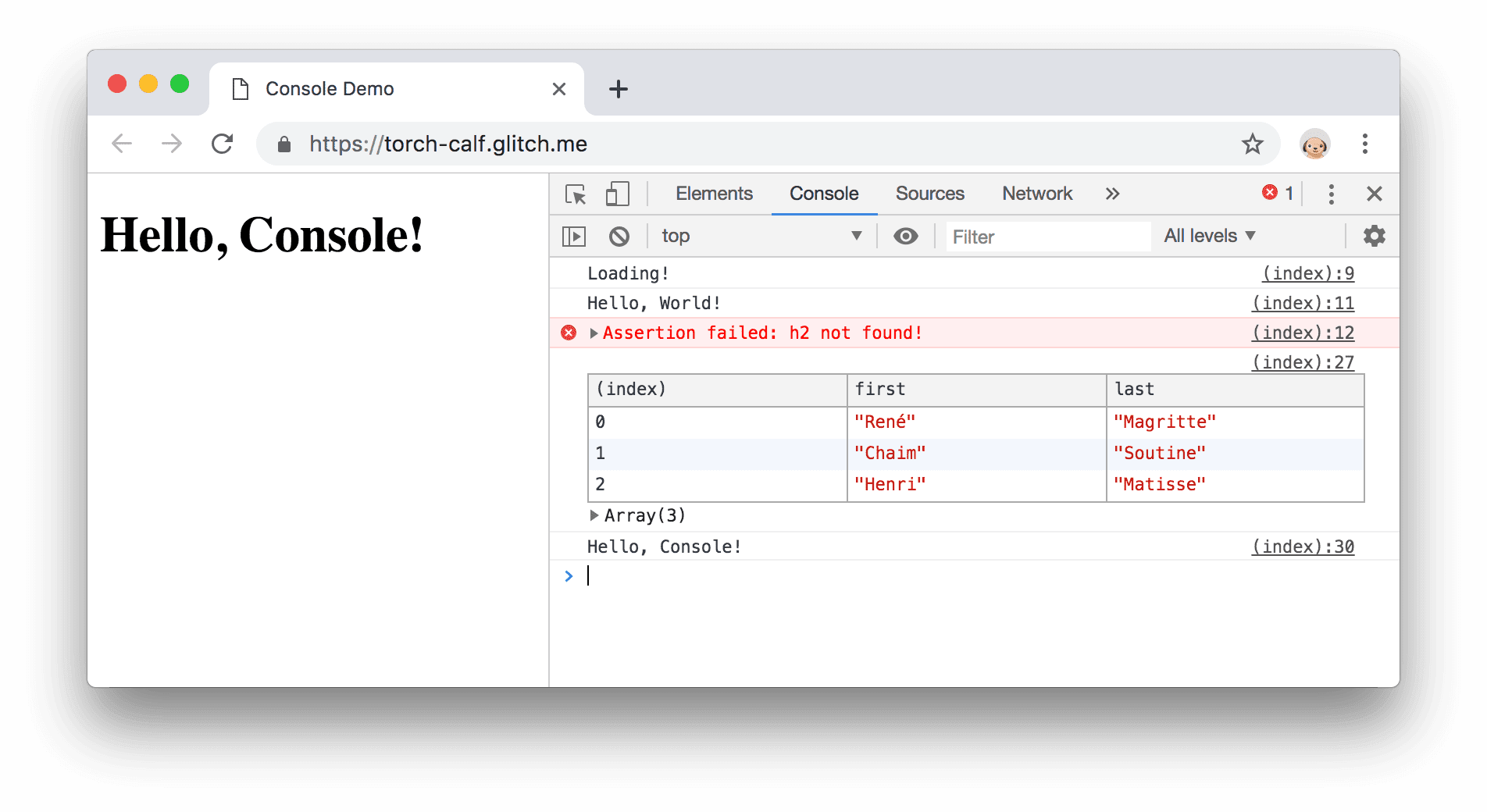
Effective debugging begins with understanding error messages and logs. The browser console provides clear feedback that helps developers identify problems quickly and approach debugging as a logical, step-by-step process.

1/8/2026
0 views
1 min read

Listen to this story

AI generated voice

The Console is Your Friend: A Guide to Debugging Strategies Using Browser Developer Tools

Debugging is an unavoidable part of software development. The browser console provides immediate insight into errors and program behavior. Learning to read console messages is a critical skill.

Debugging is a skill every developer must master. The browser console is often the first place to look when something goes wrong. Instead of fearing error messages, developers learn to treat them as helpful clues.

Using console.log helps developers track data flow and understand how code executes. Error messages highlight exact locations of problems, saving time and effort.

Over time, developers learn to interpret errors calmly and logically. Debugging becomes less frustrating and more rewarding. Embracing the console leads to stronger problem-solving skills and better code quality.

#Debugging#Browser Dev Tools#Console
Share:
Monday Ofem

About Monday Ofem

Monday is a web developer with about five years of experience, focused on making software development easier to understand for beginners. Through his writing, he shares practical insights on developer tools, workflows, and real-world problem-solving to help newcomers grow with confidence.

Comments (0)

No comments yet. Be the first to comment!